• February 17, 2026
  • Updated 9:56 am
Back
SEARCH AND PRESS ENTER
Recent Posts
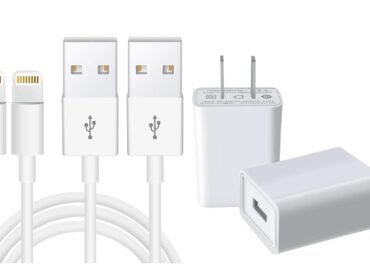
Walmart Apple 12 Phone Accessories Cable Adapters

Buying iPhone 12 cable adapters at Walmart is less about brand and more about port logic, MFi certification, and use-case compatibility, which most listings fail to explain.

That’s the real problem. Walmart shelves and product pages are full of “Apple-compatible” cables and adapters, but they rarely explain what actually works with an iPhone 12. The confusion shows up later as slow charging, broken CarPlay, or a cable that suddenly stops working after an iOS update.

The solution is understanding how Apple designed the iPhone 12 and how Walmart sells accessories around it.

Direct answer:
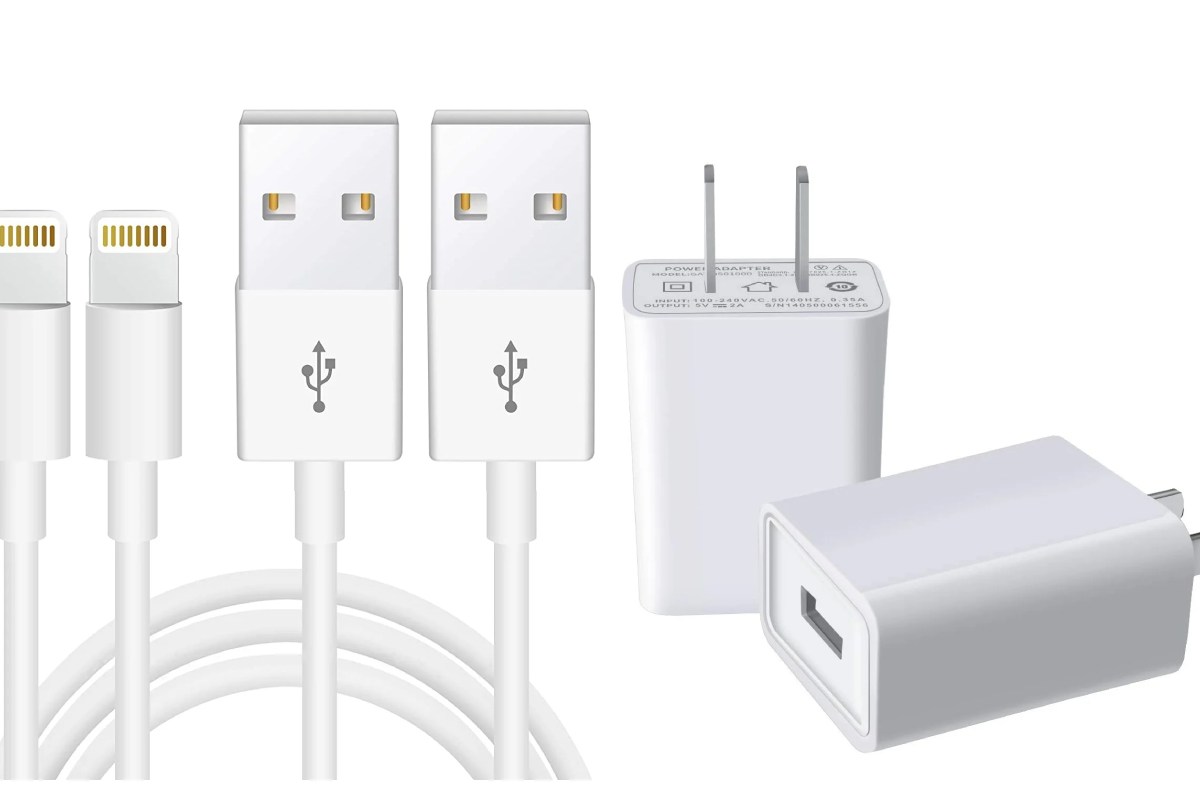
To charge or connect an iPhone 12 correctly, you need a Lightning cable on the phone end, a connector that matches your power source (USB-A or USB-C), and—ideally—MFi certification to avoid long-term failures.

Key Takeaways

  • iPhone 12 uses a Lightning port, not USB-C, on the phone.
  • Cables, adapters, and charger bricks serve different purposes.
  • MFi-certified accessories are safer and more reliable.
  • Very cheap adapters often fail after iOS updates.
  • Your charging location (home, car, travel) determines the best adapter.

Why iPhone 12 Cable Adapters Confuse Walmart Buyers

Apple removed the charger brick from the iPhone 12 box and introduced a USB-C to Lightning cable. Walmart followed retail listing logic instead of user education. As a result, buyers are expected to understand charging standards without explanation.

This is why wrong purchases are common—even among experienced users.

Understanding iPhone 12 Ports and Charging Basics

Lightning Port (Phone Side)

Only Lightning connectors plug directly into the iPhone 12.
If a product doesn’t end in Lightning, it cannot connect to the phone.

USB-C vs USB-A (Power Source Side)

  • USB-A: older wall chargers, cars, many power banks.
  • USB-C: newer wall chargers, laptops, fast-charging bricks.

If the ports don’t match, charging won’t work—no matter how the product is marketed.

Cable vs Adapter vs Charger Brick

Understanding this prevents wasted money:

  • Cable: Connects phone to power or data.
  • Adapter: Converts one port type to another.
  • Charger brick: Supplies power from a wall outlet.

Pre-purchase checklist

  1. What port does my phone need? → Lightning
  2. What port does my charger/car/laptop have?
  3. Do I need a cable, an adapter, or a brick?

Apple vs Third-Party Cable Adapters at Walmart

Type Pros Cons Risk Level
Apple-branded Maximum compatibility, longest lifespan Higher price Very low
MFi-certified third-party Better value, widely available Quality varies by brand Low
Non-certified generic Cheap upfront Fails after updates, data issues High

SEO insight: This table directly answers commercial-investigation queries for AI Overviews.

Walmart Price Ranges

Prices change frequently, so ranges are safer and more useful than exact numbers.

Adapter Type Typical Walmart Price Range Best For
USB-A to Lightning cable Low – Mid Cars, older chargers
USB-C to Lightning cable Mid Fast charging at home
USB adapters (USB-C ↔ USB-A) Low Port conversion
Multi-port travel kits Mid – High Travel & flexibility

Value insight: Paying slightly more for MFi certification usually saves money long-term.

Why MFi Certification Matters

MFi (“Made for iPhone”) certification means Apple has approved the accessory’s internal components.

What happens without it:

  • Cables stop working after iOS updates
  • Charging becomes inconsistent
  • Data features (CarPlay, syncing) fail first

Apple accessory standards and teardown analyses (e.g., iFixit) consistently show hardware differences between certified and non-certified cables.

What Walmart Reviews Commonly Reveal

Instead of individual reviews, patterns matter more:

  • Apple cables: praised for reliability, criticized for price
  • MFi third-party cables: good balance, occasional build complaints
  • Non-certified cables: frequent “stopped working” or “not recognized” issues

This review behavior aligns with real-world failure patterns seen after software updates.

Graph Suggestion

Illustrative graph to include (no fake data):

  • X-axis: Price range (Low → High)
  • Y-axis: Failure risk (Low → High)
  • Trend: Non-certified cables show higher failure risk over time

This helps visual learners and boosts on-page engagement without misleading statistics.

Geographical Considerations

  • iPhone 12 cables work globally
  • Charger bricks differ by region due to plug standards
  • Walmart US products follow US power specifications

International buyers should ensure charger bricks match local outlets.

Common Buyer Mistakes

  • Buying “fast-charge” cables without USB-C chargers
  • Assuming all Lightning cables support data
  • Ignoring whether the listing mentions MFi certification

Illustrative example:
A cheap cable works for two months, fails after an iOS update, and ends up costing more than a certified option.

Is Walmart a Good Place to Buy iPhone 12 Cable Adapters?

Yes—if you buy deliberately.

Pros

  • Competitive pricing
  • Easy returns
  • In-store availability

Cons

  • Inconsistent listing clarity
  • Mixed third-party seller quality

Quick Decision Guide

Your Situation Recommended Setup
Home charging USB-C to Lightning + USB-C brick
Car charging USB-A to Lightning
Laptop charging USB-C to Lightning
Travel MFi-certified multi-port solution

Final Verdict: How to Buy Smart at Walmart

Walmart Apple iPhone 12 cable adapters aren’t confusing because buyers lack knowledge—they’re confusing because the ecosystem isn’t explained.

Follow three rules:

  1. iPhone 12 needs Lightning on the phone end
  2. Match the adapter to your power source
  3. Choose MFi certification over low prices

Do that, and you’ll buy once—and never think about this again.

Also readShop Coffee Tables On Sale Wood and Metal